A garage door keypad can feel reliable for months, then fail out of nowhere. In St. Louis, MO, “sudden” keypad trouble is common after storms, fast humidity changes, and winter freeze-thaw cycles that push outdoor electronics hard. The tricky part is that a keypad can still light up, still beep, and still accept a code, yet the door does nothing. That gap between “it seems alive” and “it will not run the door” usually points to a small set of repeat causes that garage door technicians see every week and often resolve during a garage door repair visit.
This guide breaks down the most likely reasons your keypad stopped working abruptly, what each cause typically looks like in the real world, and which safe checks help you narrow it down before the issue turns into a bigger garage door repair problem.
Understand What the Keypad Is Actually Doing
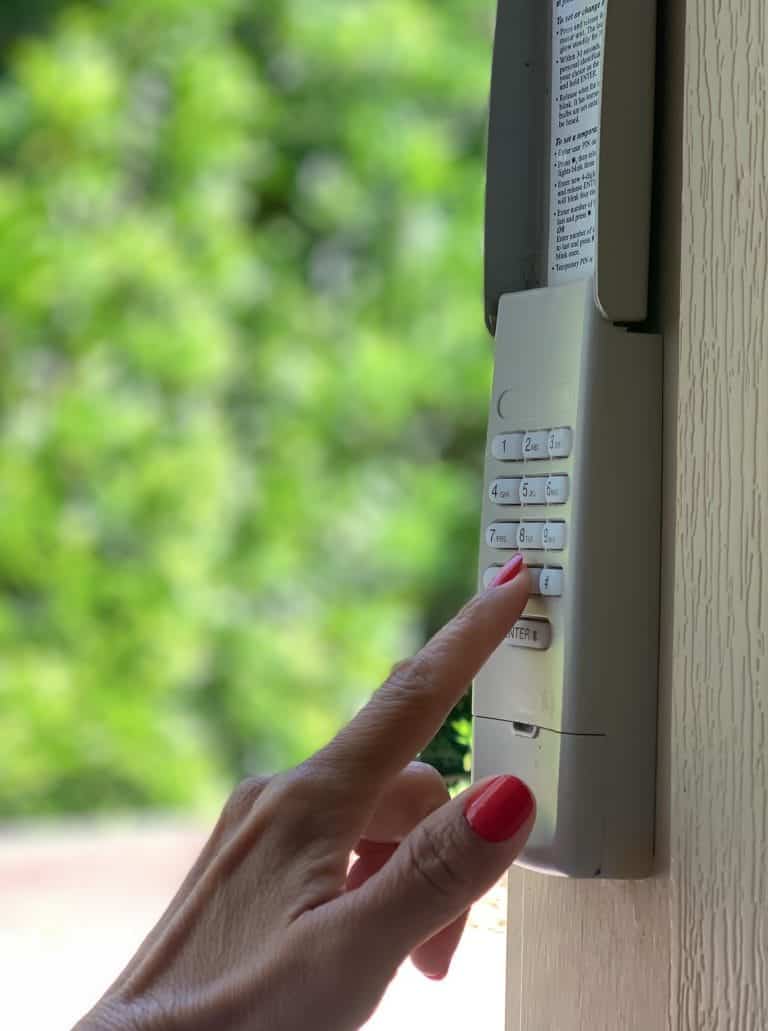
A keypad is a transmitter. When you enter a code, it sends a signal to the garage door opener receiver. If the receiver accepts the signal, the opener will attempt to run the door. If the receiver does not accept the signal, nothing happens.
That means keypad lights and beeps usually reflect one of three things:
- The keypad has power and is reading input
- The keypad is allowing or blocking code entry
- The keypad is confirming success, error, or lockout
Because brands and models vary, the exact pattern can differ, but the meaning tends to fall into repeat categories that technicians see daily.
If you want a structured order of checks for a non-working keypad, use Garage Door Keypad Not Working? Troubleshooting Checklist.
Quick Safety Note for St. Louis Homeowners
If the door starts moving and then reverses, shakes, or refuses to close unless you hold the wall button, pause keypad-focused checks. That pattern often involves safety sensors, door travel resistance, or opener force settings. Lights and beeps might still appear normal because the keypad is doing its job, but the door system is declining to close for safety reasons.
If you see those symptoms, review When a Garage Door Keypad Problem Signals a Bigger Issue so you do not chase the wrong cause.
The Most Common Light Patterns and What They Usually Mean
The keypad does not light up at all
Most common causes:
- Dead batteries
- Corroded battery contacts
- Internal keypad failure
What a technician thinks:
If there is no light, start with power. A completely dark keypad is rarely a pairing issue. It is almost always battery power or damage inside the unit.
Safe checks that help:
- Inspect the battery compartment for corrosion or residue
- Confirm the cover seals properly so moisture does not reach the compartment
The keypad lights up normally, but nothing happens after code entry
Most common causes:
- Lock mode enabled at the wall console
- Weak battery output, even though the keypad lights are on
- Keypad not paired to the garage door opener
- Signal interference is preventing the receiver from hearing the keypad
What a technician thinks:
This is the most common “it lights up, but it won’t open” report. The keypad is powered and reading input, but the opener is not responding.
Safe checks that help:
- Compare with a remote. If remote also fails, lock mode is a top suspect
- Think about recent changes like LED bulb swaps or new electronics in the garage
The keypad lights up, then goes dark immediately while entering the code
Most common causes:
- Weak battery output dropping under load
- Poor battery contact connection
- Moisture or corrosion causing resistance
What a technician thinks:
If the lights drop out mid-entry, the keypad is losing power when it tries to transmit. These points strongly point to battery strength or contact issues rather than programming.
Safe checks that help:
- Check battery contact points for corrosion
- Confirm the battery compartment is dry and clean
The keypad light stays on longer than normal after code entry
Most common causes:
- The keypad is waiting for an enter key that was not pressed
- The keypad is timing out during incomplete entry
- Buttons are worn and not registering consistently
What a technician thinks:
This is often an input problem. The keypad is not completing the “send” step because it did not register the full code sequence.
Safe checks that help:
- Enter the code slowly and deliberately
- Notice whether one digit feels softer or less responsive than the others
The Most Common Beep Patterns and What They Usually Mean
A single beep with each button press
Most common meaning:
- The keypad is registering your input normally
What a technician thinks:
This is a good sign. It means the button pad is responding and the keypad is reading digits.
What to check next:
If the door does not respond, look beyond the input. Pairing, lock mode, interference, or battery output may still be the cause even if the keypad beeps.
Rapid beeping after you finish the code
Most common causes:
- Wrong code entered
- Keypad iis n a temporary lockout mode
- Enter key missed (on models that require it)
What a technician thinks:
Rapid beeps usually signal an error or rejection. If repeated attempts result in a lockout, the keypad may refuse further entry for a short period.
Safe checks that help:
- Slow down code entry and confirm every press registers
- If you suspect a lockout, wait and try again carefully rather than rushing attempts
No beep on certain digits
Most common causes:
- Worn button pad on specific numbers
- Moisture intrusion affecting contacts
- Internal keypad wear
What a technician thinks:
This is a strong clue that the keypad itself is wearing out. One-digit failure is common because some digits get used more often.
Safe checks that help:
- Notice if the same digit fails every time
- If you must press unusually hard, the button pad is likely nearing end-of-life
A long beep when you press a button
Most common causes:
- A stuck button
- A keypad that detected an input problem
- Moisture causes a contact to stay engaged
What a technician thinks:
A long beep often indicates the keypad is not happy with the input state. Stuck buttons become more common after moisture exposure or aging.
Safe checks that help:
- Inspect the keypad face for physical sticking
- If the keypad cover is warped or cracked, moisture intrusion becomes a bigger suspect
Why Lights and Beeps Can Still Mislead You
A keypad can give “normal” lights and beeps while still failing to operate the door because the keypad has two separate jobs:
- Power and input response (lights and beeps)
- Reliable signal transmission and receiver acceptance (opener response)
That is why a keypad can light up perfectly, beep perfectly, and still not open the door. It may be transmitting a weak signal, it may not be paired, or the receiver may be blocked by interference.
If your garage door keypad suddenly stops working, read Why Your Garage Door Keypad Stops Working Suddenly to learn the most common causes and the safest checks to narrow it down.
Signal Problems That Often Hide Behind “Normal” Keypad Feedback
LED bulb interference
In the field, this is one of the most common causes of sudden wireless issues. Homeowners swap bulbs, and the next day the keypad range drops or becomes inconsistent.
Clues:
- The keypad works only up close
- Performance changes when the opener lights are on vs off
- Remotes also become less reliable
Antenna positioning at the opener head
Many openers have a receiver antenna wire that should hang down. If it is tucked up or pinned against metal, range can drop.
Clues:
- The range gradually gets shorter
- The keypad works from some angles and not others
New electronics near the opener
St. Louis garages often become “charging stations” for tools and devices. Chargers and hubs can introduce interference near the receiver.
Clues:
- Keypad behavior changed after reorganizing storage
- The keypad works better when certain equipment is unplugged
When Lights and Beeps Point to a Bigger Door System Issue
Sometimes the keypad is working, and the opener is receiving the signal, but the door system refuses to complete the operation.
Clues:
- The opener light turns on when the keypad is used, but the door does not move smoothly
- The door reverses during closing
- Sensor lights blink or go out
- The wall button must be held down to close the door
Those patterns are not keypad failures. They point to safety sensors, travel resistance, force settings, or door balance concerns. If those symptoms match what you see, do not focus on keypad signals alone.
Quick “What It Means” Cheat Sheet
Use this for fast diagnosis based on what you see.
- No lights at all: battery dead, corrosion, or keypad failure
- Lights normal, door does nothing: lock mode, weak signal, interference, or not paired
- Lights drop during entry: battery output too low or contacts corroded
- Beep on most digits but not one: worn button pad or moisture damage
- Rapid beeps after code: wrong code, missed enter key, or temporary lockout
- Long beep: stuck button or input error state
- Opener lights respond, but the door won’t close: likely a safety or travel issue
Prevention Tips That Keep Keypad Signals Reliable in St. Louis
Many keypad signal problems are avoidable with simple habits.
- Replace keypad batteries on a schedule, especially before winter cold snaps
- Keep the keypad cover closed and confirm the seal still fits tight
- Avoid blasting the keypad with hose spray or harsh cleaners
- Be cautious with LED bulb changes in the opener
- Keep chargers and smart hubs away from the opener head area
- If one button starts failing, address it early to prevent a lockout at the worst time
When It’s Time to Stop Guessing
If the keypad lights and beeps suggest normal input, but the system still will not respond, the next step is usually model-specific testing. A technician will verify receiver behavior, confirm settings, test signal strength, inspect antenna positioning, and check for environmental interference, which is often where the real cause becomes clear.
This is also when early signs of deeper opener issues can be identified before they become a complete failure. If you are dealing with repeated keypad trouble in St. Louis, MO, Guardian Door and Gate can diagnose the issue accurately and restore dependable operation without trial and error. Contact us or give us a call today to schedule service and get reliable access back.
Frequently Asked Questions
What does it mean if the keypad has no lights at all?
That usually indicates dead batteries, corroded contacts, or internal keypad failure. It is rarely a programming issue when the keypad is completely dark.
Why does the keypad light turn off while I’m entering my code?
This often points to weak battery output or poor contact inside the battery compartment. Moisture or corrosion can also cause a power drop under load.
What if one number doesn’t beep when I press it?
That typically means the button pad is worn on that digit or the contacts are compromised. This is a common early sign that the keypad is nearing the end of its life.
Why does it beep rapidly after I enter the code?
Rapid beeping usually indicates an error, such as an incorrect code or a missed enter key on certain models. Repeated mistakes can also trigger a temporary lockout.
Can cold weather change keypad light and beep behavior?
Yes, cold can reduce battery performance and make marginal power issues show up suddenly. You may see slower response, dim lights, or inconsistent beeps during cold snaps.
Can LED bulbs affect the keypad even if the keypad seems normal?
Yes, the keypad can look normal while interference prevents the opener from hearing the signal. This often shows up as reduced range or inconsistent response. Because interference and opener-side issues can mimic keypad failure, Family Handyman outlines common opener problems that reduce wireless reliability.
What does a long beep usually mean?
A long beep often indicates a stuck button or an input problem state. Moisture intrusion or a worn keypad face can contribute to this.
Why does the opener light turn on, but the door won’t close from the keypad?
That usually indicates the opener received the command, but a safety trigger stopped closing, often related to sensors or door resistance. The keypad is not the main issue in that situation. If the opener reacts but the closing fails, a safety trigger is likely involved, and BobVila summarizes common reasons a door won’t close.
How do I know if my keypad is in lockout mode?
Many models limit attempts after repeated incorrect codes and may beep rapidly or refuse input for a short period. Waiting and entering the code carefully afterward can confirm whether a lockout is involved.