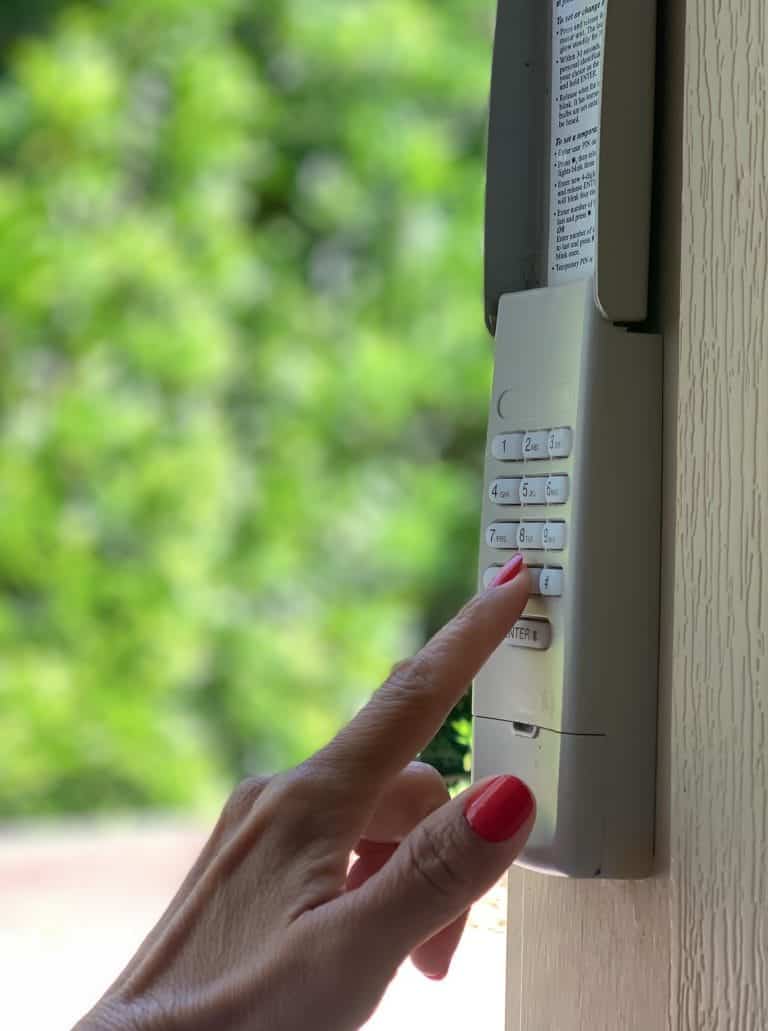
A garage door keypad can fail for simple reasons, but sometimes it only reveals that another part of the system is not operating as it should. In St. Louis, MO, technicians see this often after big weather swings, heavy humidity, or storms that trigger quick power flickers. A homeowner enters the code, the keypad lights up, and nothing happens, so the keypad gets blamed. Then we test the system and find the opener is receiving the signal, but the door cannot complete safe travel, which is when garage door repair becomes a real need.
This guide helps you spot the warning signs that point beyond the keypad. You will learn what these signs usually mean, what a technician checks next, and when it is smarter to stop troubleshooting and schedule garage door repair service.
A Quick Safety Note Before You Start
A keypad is only a control device, but what it controls is a moving door system with real pinch and crush hazards. If the door is jerky, reverses unexpectedly, or will not close unless you hold the wall button, pause keypad troubleshooting. That pattern often involves safety sensors, travel limits, or door balance, and those are not areas to experiment with.
If your keypad is not responding and you want a safe step order to follow, read Garage Door Keypad Not Working? Troubleshooting Checklist.
Sudden Keypad Failure Usually Falls Into One Of These Buckets
When a keypad stops working suddenly, the cause is usually one of these:
- Power or battery output dropped fast
- Lock mode or a security setting changed
- Signal interference increased overnight
- Moisture got inside the keypad housing
- The keypad lost pairing with the opener memory
- The opener is powered, but the wireless receiver’s behavior is unstable
- Buttons or internal contacts reached the end of service life
If your garage door keypad lights up but the door does nothing, read Why Your Garage Door Keypad Stops Working Suddenly to understand what is likely happening and what to check next.
Battery Output Dropped Faster Than You Expected
This is the most common “it worked yesterday” scenario. Keypad batteries can fade gradually, but the performance drop can feel instant because the transmitter needs a minimum output to reach the receiver.
What It Usually Looks Like
- The keypad lights up, but the door never responds
- The keypad works only after multiple attempts
- The keypad works only when you stand close to the door
- The backlight seems dim, inconsistent, or slow
Why St. Louis Makes This Worse
Cold snaps reduce battery output. Humidity can also speed up contact corrosion inside the battery compartment, which increases resistance and reduces usable power.
Safe Checks That Help
- Confirm the keypad lights are consistent during code entry
- Check the battery compartment for residue or corrosion
- If the keypad has a cover, confirm it closes tightly to reduce moisture exposure
If you replace batteries and the keypad returns to normal, that strongly suggests the issue was battery output, not opener failure.
Lock Mode Was Enabled Accidentally
Many wall consoles include a lock feature that disables wireless controls such as keypads and remotes. It helps with security, but it is also a top cause of sudden keypad failure reports.
What It Usually Looks Like
- The keypad accepts the code, but nothing happens
- Remotes also fail at the same time
- The wall button inside the garage still runs the door normally
Common Ways Lock Mode Turns On
- A button press while cleaning the wall console
- A child pressing the wall console buttons
- A wall console that gets bumped while carrying items in the garage
- A brief power flicker, where settings end up changed
Safe Checks That Help
- Inspect the wall console for a lock indicator
- Confirm the wall console is not in a setting that blocks wireless access
If you are seeing flashes or beep patterns during entry, read What Garage Door Keypad Lights And Beeps Usually Mean so you can interpret signal behavior without guessing.
Signal Interference Increased Overnight
Signal interference is one of the most misunderstood causes of sudden keypad trouble. The keypad itself might be fine, but the garage door opener is no longer receiving the signal clearly.
What It Usually Looks Like
- The keypad works only up close
- The keypad works at certain times of day
- The keypad works after you remove a garage light bulb or turn off a device
- The keypad works from one angle but not another
Common St. Louis Garage Interference Sources
- LED bulbs installed in open light sockets
- Wi Fi routers or mesh nodes placed near the opener head
- Battery chargers, tool chargers, or power stations near the opener
- New smart devices were added to the garage recently
Safe Checks That Help
- Note anything new added to the garage in the last week
- Test the keypad when the opener lights are off versus on
- Keep electronics and chargers away from the opener head area when possible
Interference can mimic a failing keypad, but the clearest clue is inconsistency tied to the environment.
Moisture Got Inside The Keypad Housing
Moisture intrusion is a major cause of abrupt keypad trouble, especially on keypads mounted in exposed locations. St. Louis humidity and wind-driven rain can reach places you would not expect.
What It Usually Looks Like
- The keypad works sometimes, then fails again
- Buttons feel mushy or inconsistent
- The keypad lights behave oddly after rain
- The keypad works better on dry days
Where Moisture Sneaks In
- A cover that no longer seals
- Small cracks in the housing
- A keypad mounted too flat, where water rests on the face
- A keypad mounted in a spot that gets direct rain splash
Safe Checks That Help
- Inspect the cover seal and hinge
- Check for watermarks inside the cover area
- Check mounting tightness so the housing does not flex
If you see corrosion or obvious moisture signs, it is usually smarter to stop checks and schedule service. Moisture-related failures often repeat until the root cause is addressed.
The Keypad Lost Pairing With The Opener Memory
Sometimes the keypad is fine, but the opener no longer recognizes it. This can happen after a power disruption, storms, or memory glitches.
What It Usually Looks Like
- The keypad lights and accepts code entry normally
- No door response at all
- Remotes may also be inconsistent
- The issue begins right after a power outage or repeated flickers
Why This Happens
Opener logic boards store wireless device memory. A sudden power disruption can destabilize stored data. Not every outage causes this, but when it does, it can feel instant.
Safe Checks That Help
- Confirm the opener has stable power and the wall button works
- If your system has an error indicator, observe it without changing settings
- Avoid random programming attempts unless you have the model-specific steps
Pairing steps vary by model. Guessing can erase stored devices and create more trouble than you started with.
The Opener Receiver Is Having A Wireless Issue
In some cases, the keypad is transmitting correctly, but the opener’s receiver behavior is weak or unstable. This is less common than battery output, lock mode, and moisture, but technicians do see it.
What It Usually Looks Like
- Both the remotes and the keypad both become unreliable
- The range becomes shorter over time
- The wall button remains reliable
- Performance changes after storms or surges
Safe Checks That Help
- Compare keypad behavior to remote behavior
- If both wireless controls are failing, suspect receiver-side factors
- Check for obvious antenna issues, such as a wire pinned against metal
If the door system also shows unusual behavior, this can overlap with deeper opener concerns.
Buttons And Internal Contacts Finally Wore Out
Keypads are built for outdoor use, but wear still happens. Button pads, internal contacts, and circuit traces can degrade over time.
What It Usually Looks Like
- Certain digits fail more than others
- You must press harder to register an input
- The keypad works intermittently, even with fresh batteries
- The failure pattern grows more frequent over the weeks
Why It Can Feel Sudden
Wear builds slowly, then crosses a threshold where enough input fails that the door never triggers. Homeowners often describe it as “it died overnight,” even though the decline started earlier.
Safe Checks That Help
- Notice whether one digit is always the problem
- Test code entry carefully and slowly
- If the keypad requires an enter key, confirm it registers consistently
If button response is inconsistent, replacement is often the most reliable path, especially if the keypad has heavy daily use.
“It’s Not The Keypad” Clues That Show Up As Keypad Trouble
A keypad can get blamed when the real issue is the door system refusing to complete a safe close.
What It Usually Looks Like
- The keypad triggers the opener light, but the door does not move correctly
- The door reverses during closing
- Sensor indicator lights blink or go out
- The door closes only when holding the wall button
These patterns usually point to sensors, travel limits, or door resistance, not keypad electronics.
For context on why photo-eyes and reversal features matter, review the UL 325 entrapment protection overview.
Rapid Diagnosis Guide Based On What You See
Use these quick matches to narrow the most likely cause.
Keypad Lights Up, No Response, Remotes Also Fail
Most likely:
- Lock mode enabled
- Receiver side wireless issue
- Post-outage memory disruption
Keypad Lights Up, No Response, Remotes Still Work
Most likely:
- Keypad battery output is low
- Keypad lost pairing
- Moisture intrusion or internal wear
Keypad Works Only Up Close
Most likely:
- Interference from LED bulbs
- Antenna position problem
- Battery output fading
Keypad Works After Rain, Then Fails Again
Most likely:
- Moisture intrusion
- Contact corrosion
- Housing seal failure
Prevention Tips That Reduce “Sudden” Keypad Failure
Most abrupt keypad problems are avoidable with simple habits.
- Replace keypad batteries on a routine schedule
- Keep the keypad cover closed and confirm it seals well
- After storms, test keypad access before you need it at night
- Keep LED bulb changes in mind if the range suddenly drops
- Keep chargers and smart hubs away from the opener head area
- If a button starts feeling inconsistent, address it early before it becomes a lockout
These steps do not require advanced tools and help you avoid the most common failure patterns seen in St. Louis conditions.
System Level Keypad Trouble In St. Louis, MO
When keypad trouble is actually a sign of a larger system issue, the best results come from inspecting the full setup, including safety sensors, door travel behavior, opener response, wiring condition, and possible signal interference. Focusing only on the keypad can overlook deeper causes that continue to trigger inconsistent operation. For a homeowner-safe maintenance baseline and safety reminders, reference IDA care and maintenance guidance.
A trained technician can determine whether the root cause is safety-related, mechanical, or electronic and restore reliable performance without trial and error programming. If your keypad symptoms match the warning signs above, treat it as a system-level concern rather than a simple keypad problem. In St. Louis, MO, Guardian Door and Gate can inspect the entire door and opener system to pinpoint the cause and restore dependable access, so contact us or give us a call today to schedule service.
Frequently Asked Questions
What does it mean if the opener light turns on but the door does not move?
That usually indicates the opener received a signal but could not complete motion due to resistance, safety logic, or an internal opener issue. It is a strong clue to inspect the door system rather than the keypad.
If the door reverses, does that confirm a sensor issue?
Sensors are a common cause, but not the only one. Door binding, track alignment, or balance problems can also cause reversal because the opener senses abnormal resistance.
Why does it beep rapidly after I enter the code?
Rapid beeping usually indicates an error, such as an incorrect code or a missed enter key on certain models. Repeated mistakes can also trigger a temporary lockout.
Can a keypad trigger a safety sensor problem?
No, the keypad only sends a command, and the sensors decide whether closing is allowed. If the sensors are unstable, any wireless command can be blocked even when the keypad is working normally.
What garage conditions cause sensor trouble in St. Louis?
Humidity, dust, and sun glare can all affect sensor performance, especially near the door opening. Loose brackets from temperature swings can also shift alignment over time.
If both the keypad and remote have short range, what does that suggest?
That pattern often points to receiver sensitivity, antenna positioning, or interference near the opener head. It is less likely to be a single keypad failure when both devices show the same symptom.
Can new LED bulbs cause the door to stop closing from the keypad?
Yes, some LED bulbs create interference that can reduce wireless reliability and cause inconsistent receiver response. A technician will often test the response with the opener lights off to confirm the pattern.
What sounds should make me stop testing the keypad?
Straining, humming without movement, grinding, or scraping sounds are red flags. Those sounds often indicate resistance or balance issues that should be inspected before more cycles are attempted.
When should I stop troubleshooting and schedule professional service?
If the door reverses repeatedly, closes only with constant wall-button pressure, or shows sensor light instability, it is time for professional inspection. Those symptoms point to system safety or travel concerns, not just keypad input.