A garage door that refuses to respond to its remote is one of the most frustrating problems a homeowner in St. Louis, MO, can deal with on any given day. The good news is that a proper reset of your LiftMaster garage door opener remote control can often solve the problem without the need for a costly garage door opener repair.
Resetting a LiftMaster garage door opener remote clears the existing connection and allows the opener to recognize the remote as a fresh pairing. This guide walks through the reasons the remote stops working, the steps to reset it, and what to do when reprogramming does not bring it back to working condition.
Why Is My LiftMaster Garage Door Opener Remote Control Not Responding?
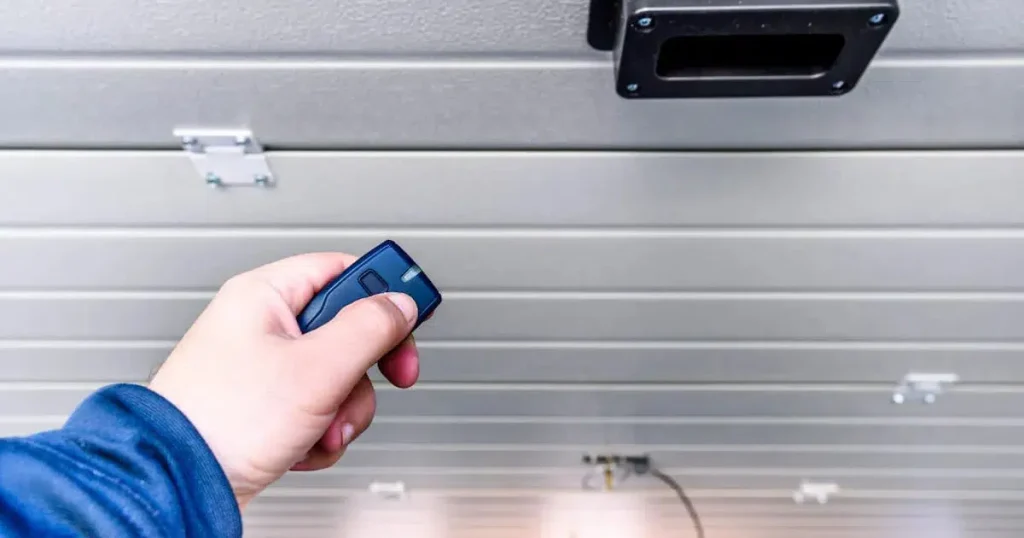
A LiftMaster remote stops responding when something breaks the connection between the remote and the opener, and identifying the exact cause determines whether a reset will actually fix it.
The most common causes include:
- Weak or dead batteries stop the remote from sending a signal to the opener
- Lock mode on the wall console shuts down all remotes at the same time
- A power outage or electrical surge can erase the opener’s memory and drop the pairing
- A nearby LED bulb or Wi-Fi router can interfere with the remote’s signal
- Misaligned safety sensors can stop the door from moving and look like a remote problem
- A full opener memory cannot store or hold any existing remote connections
To understand the full range of causes of an unresponsive remote, read our guide on LiftMaster Garage Door Opener Remote Control Not Working?, which covers every issue that can block communication between the remote and the opener.
How to Reset Your LiftMaster Garage Door Opener Remote Control
Step 1: Locate the Learn Button on Your Opener
Finding the learn button on the motor unit is the starting point of the reset process on any LiftMaster garage door opener.
Key things to know before starting:
- Look at the back or side panel of the motor unit mounted on the ceiling
- The learn button sits right beside the antenna wire on most models
- Button colors vary by model and include yellow, purple, red, and orange
- Older LiftMaster and Sears Craftsman openers commonly have a yellow learn button
- Some models require removing a light cover to access the button
- The opener must be plugged in and powered before pressing anything
Confirming the exact location of the learn button on your specific model prevents unnecessary delays before the reset begins.
Step 2: Press and Hold the Learn Button to Clear the Memory
Holding the learn button for a full 6 seconds triggers a complete memory wipe on the opener.
Watch for these indicators during this step:
- Hold the learn button down for a full six seconds without letting go early
- Keep an eye on the LED indicator light on the opener throughout the hold
- The light turning off completely confirms that the opener’s memory was cleared
- Releasing too early means the memory was not fully wiped, and the step must be repeated
- Every paired remote, keypad, and HomeLink device loses its connection at this point
- LiftMaster Max remotes and standard models both go through this same process
Releasing the learn button only after the LED indicator light goes completely dark is the only way to confirm the memory was fully cleared.
Step 3: Release the Button and Wait Before Proceeding
Pausing between the memory clear and the next step gives the opener enough time to register the reset properly.
Important things to keep in mind during this pause:
- Wait a minimum of five seconds before moving forward with any action
- Avoid pressing any button on the remote or opener during this window
- Use this pause to confirm the batteries in the remote are fresh and properly installed
- Make sure the battery cover is snapped fully into place before continuing
- Rushing past this waiting period often causes the pairing in the next step to fail
- Noise or movement near the opener during this pause can disrupt the reset process
Taking those five seconds seriously makes the difference between a successful pairing and starting over, and a garage door repair technician can step in if the opener fails to register the reset.
Step 4: Activate Programming Mode on the Opener
One quick press of the learn button after the reset puts the opener into programming mode and opens the pairing window.
Pay attention to these details when activating programming mode:
- Press the learn button once quickly without holding it down
- Watch for the LED indicator light to glow steadily after the press
- A glowing light confirms the opener is ready to accept a new pairing
- Only 30 seconds are available before the window closes automatically
- Pressing the learn button a second time cancels programming mode immediately
- If the light does not glow, check the power connection and try again
Getting the remote paired within that 30-second window is the only way to successfully complete programming mode.
Step 5: Sync the Remote to the Opener Within 30 Seconds
Pressing the remote button within the pairing window finalizes the reset and restores the connection.
Follow these final actions to complete the sync:
- Press and hold the remote button within 30 seconds of activating programming mode
- Hold the button until the opener lights flash or the motor unit clicks twice
- Flashing lights or two clicks confirm that the pairing was completed successfully
- Test the remote by pressing the button once to open or close the garage door
- Repeat the pairing step for any additional remotes, keypads, or visor devices
- Weak batteries or an incompatible remote are the most common reasons the sync fails
Flashing opener lights or two audible clicks confirm a successful pairing, and persistent failure after multiple attempts may indicate a garage door installation of a newer, compatible opener.
How to Reprogram a LiftMaster Garage Door Opener Remote After a Reset
Successful reprogramming after a reset restores the connection between the LiftMaster remote and the opener once the existing pairing has been wiped from memory.
Follow these steps to complete the reprogramming:
- Check that the LED indicator light turned off to confirm the memory was cleared
- Press the learn button once and wait for the LED to glow before moving forward
- Hold the remote button within 30 seconds until the opener lights flash or the motor clicks twice
- Press the remote button once to confirm that the garage door responds to the new pairing
- Repeat the pairing step for any additional remotes, keypads, or HomeLink devices
- If the remote still does not respond after multiple attempts, call a professional
To cover every detail of the full programming process, visit our page on How to Program a LiftMaster Garage Door Opener Remote, which walks through every LiftMaster model and pairing scenario from start to finish.
Signs You May Need a Replacement Remote Control for Your LiftMaster Garage Door Opener
Not every remote issue gets resolved with a reset, and some signs point directly to replacing the remote control for LiftMaster garage door opener units as the only fix.
Watch out for these warning signs:
- Physical damage to the casing, buttons, or battery compartment affects signal transmission
- Corroded battery contacts prevent a stable power connection from forming
- The remote only works within a few feet of the opener, even after a reset and fresh batteries
- Intermittent response with no clear pattern points to a failing internal component
- Water or heat exposure has damaged the circuit board beyond what reprogramming can fix
- Consistent failure after every reset and reprogram attempt signals that the remote needs replacing
To find out exactly when a replacement makes more sense than another reset, read our guide on When to Replace Your LiftMaster Garage Door Opener Remote, which covers every sign that a remote has reached the end of its useful life.
How to Avoid LiftMaster Remote Issues in St. Louis, MO
St. Louis homeowners deal with weather extremes that can wear down a LiftMaster garage door opener remote faster than most people expect.
Keep your remote in good working condition with these habits:
- Replace batteries at least once a year to prevent signal loss during cold St. Louis winters
- Avoid non-compatible LED bulbs inside the opener housing to protect signal strength
- Keep the antenna wire hanging straight down and free from obstructions at all times
- Store the remote away from direct heat and moisture to prevent internal damage
- Test all remotes and keypads every few months to catch programming loss early
- Remove unused remotes from the opener’s memory to prevent storage from filling up
Building these habits reduces the likelihood of remote failure, and pairing them with a routine broken springs inspection keeps the entire garage door system running through every St. Louis season.
Reset Your LiftMaster Garage Door Opener Remote the Right Way With Professional Help in St. Louis
A LiftMaster garage door opener remote that fails to respond deserves a proper fix, and knowing whether the solution is a reset, a reprogram, or a full replacement makes the process much less stressful. Every step in this guide points toward getting your garage door opener back to working condition.
Guardian Door and Gate is a trusted provider of garage door services serving homeowners throughout St. Louis, MO, and the surrounding areas. If your LiftMaster remote is still not responding, contact us or give us a call today so our experienced technicians can get your garage door back on track.
Frequently Asked Questions
Does a LiftMaster remote reset affect my MyQ smart home settings?
Yes, clearing the opener's memory will disconnect MyQ and any other linked smart home devices. Reconnecting the MyQ app and all associated devices is necessary after the reset and after the LiftMaster garage door opener remote control programming is complete.
Can I use a universal remote after resetting my LiftMaster opener?
Some universal remotes are compatible with LiftMaster and Chamberlain openers, depending on the MHz frequency of your specific unit. Consulting a garage door professional before purchasing a replacement remote control for LiftMaster garage door opener ensures you get a compatible device the first time.
How often should a LiftMaster garage door opener remote be reset?
A reset is only necessary when the remote loses its connection, the opener's memory fills up, or a new remote needs to be paired. Routine resets without a clear reason can cause unnecessary reprogramming work and should be avoided.
Will a reset fix a LiftMaster remote that only works at close range?
A reset can help if signal interference or a corrupted pairing is causing the range issue, but physical damage or a failing circuit board will not be resolved through reprogramming. If the range problem persists after a reset, a LiftMaster garage door opener remote replacement is likely the more practical next step.
Can someone else's remote accidentally get programmed to my LiftMaster opener during a reset?
Yes, any remote that is pressed during the 30-second programming window can pair to the opener. Ensuring no other remotes are activated nearby during the programming process prevents accidental pairings.
Is it possible to reset only one remote without clearing the entire opener memory?
No, the reset process clears all devices stored in the opener's memory at once. Learning how to reprogram LiftMaster garage door opener remote for each individual device after the reset is the only way to restore access for every remote and keypad connected to the opener.
What happens if I press the learn button too many times during the reset process?
Pressing the learn button multiple times in quick succession can cancel programming mode and disrupt the reset sequence entirely. Following each step carefully and waiting for the LED indicator light to respond before pressing again keeps the LiftMaster garage door opener remote reprogram process on track.
How do I know if my LiftMaster opener is too old to support a new remote after a reset?
Older LiftMaster and Sears Craftsman openers operating at 390 MHz may not be compatible with newer remotes, even after a reset. A garage door professional can assess whether your current opener supports modern remotes or whether a new garage door opener is the better investment.
Can a power surge permanently damage the LiftMaster remote pairing after a reset?
A power surge can wipe the opener's memory and disrupt the existing pairing, but a full reset and reprogram usually restores normal function. If the opener continues to behave erratically after the reset, the logic board may have sustained damage that requires professional garage door services in St. Louis, MO.