Mandatory access control paired with biometric authentication offers the strongest protection available today, once the framework and authentication method are properly matched. Property owners often assume that the most secure system is automatically the most complicated to install and manage.
Frameworks and authentication methods differ widely in how well they hold up against actual security risks when compared side by side. This guide breaks down which access control systems offer genuine protection, along with the features and factors that separate a strong setup from a weak one.
What Are Access Control Systems?
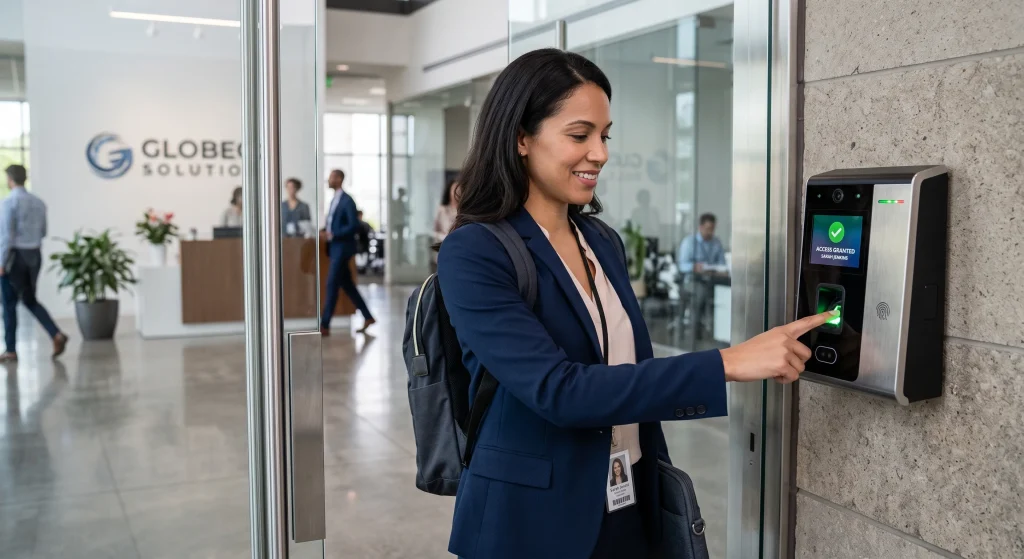
Access control systems determine who can enter a building or specific area by verifying identity before granting access, since real protection depends on confirming credentials at every entry point and maintaining a record of that activity for later review.
Common elements that make up a typical access control setup include:
- A card reader, keypad, or biometric scanner captures the credential at the entry point
- A door controller compares that credential against stored access rights
- The system unlocks the door once the credential passes verification
- Every attempt gets logged with a timestamp for later review
- Facilities with sensitive information often add extra verification steps for stricter control
To understand how this verification process adds an extra layer of confirmation, read our guide on How Do Smart Intercoms Integrate with Access Control Systems?, which explains how visual and audio checks work alongside credential-based entry.
Why Does a Property Need Access Control?
Unauthorized entry remains one of the biggest risks for any property without a proper verification system at every entry point.
Common reasons a property benefits from access control include:
- Traditional keys can be duplicated, lost, or shared without any record
- Sensitive areas require stricter oversight than a standard lock can provide
- Staff and visitors move through entry points faster without physical keys
- Every entry gets logged, which supports investigations after a security breach
- Multiple entry points become easier to manage from one central system
To identify which properties benefit most from this added layer of protection, read our guide on Who Needs an Access Control System?, which breaks down the industries and property types where access control makes the biggest difference.
What Are the Different Types of Access Control Systems?
Mandatory Access Control as the Most Secure Framework
A central system administrator holds full authority over access rights, leaving individual users unable to alter or share their assigned permissions.
- Security clearances follow strict classification levels rather than personal discretion
- Government buildings and military facilities rely heavily on this framework
- Insider security breaches become far less likely under rigid structures
- Temporary access cannot get granted without administrator approval
- Every permission change requires formal review before it takes effect
Facilities handling highly sensitive information often choose mandatory access control because its rigid structure leaves little room for accidental oversight.
Role-Based Access Control for Businesses
Job title or department determines access permissions, so an employee gains or loses entry the moment their role changes.
- HR, IT, and facilities teams typically receive different access permissions
- Automatic updates reduce human error during staff transitions
- Commercial buildings with large staff counts scale well under this structure
- Temporary project access still gets granted without restructuring the system
- Departing employees lose access automatically once their role ends
Companies wanting strong access control without heavy daily management often settle on role-based systems since they manage themselves as staff changes happen.
Attribute-Based Access Control and Dynamic Permissions
Multiple factors such as user attributes, location, and time of day combine to determine entry rather than one fixed clearance level.
- Time of day restrictions limit access automatically during off hours
- Location data restricts entry to specific areas within a larger property
- Shifting security needs get accommodated without manual adjustments
- Combining attributes creates tighter control than single-factor systems
- Temporary conditions like maintenance windows can trigger automatic changes
Properties with shifting security needs often extend this same dynamic logic to vehicle entry points, which is wheregate automation comes in.
Discretionary Access Control and Its Security Risks
The individual owner of a resource decides who receives access, trading centralized oversight for convenience.
- Resource owners control permissions directly without administrator approval
- Flexibility reaches its highest point under this framework
- Shared credentials and human error carry more weight without oversight
- Smaller spaces with modest security needs suit this option reasonably well
- Tracking who granted access becomes harder without a central log
Weighing convenience against reduced oversight matters most before applying discretionary access control to any space holding valuable equipment or records.
Biometric Authentication for Maximum Security
Physical traits such as fingerprints, facial recognition, or iris scans confirm identity, making the credential nearly impossible to lose or hand off.
- Fingerprints cannot get passed along the way a key card can
- Iris scans offer some of the highest accuracy rates available
- Biometric data proves far harder to duplicate than a physical credential
- Pairing biometrics with another credential adds a second layer of confirmation
- Enrollment takes longer upfront compared to issuing a simple key card
Facilities that need the highest confidence in verifying identity continue turning toward biometric authentication despite its higher upfront setup time.
Card-Based and Mobile Credential Systems
Encrypted smart card technology gives stronger protection than older proximity cards that thieves can clone with inexpensive equipment.
- Smart cards resist cloning far better than outdated proximity cards
- Bluetooth or NFC lets a smartphone function as a secure credential
- Lost mobile credentials get deactivated remotely within minutes
- Staff already carrying smartphones find mobile access more convenient
- Multiple credentials can get managed from a single software platform
Buildings upgrading their credentials often extend the same cards or mobile access to vehicle entry points through a newgate installation.
PIN and Keypad Access as Secondary Authentication
Codes entered through a keypad offer the weakest protection on their own since a pin code can be observed or shared without any physical trace.
- Overheard or shared codes weaken security faster than other credentials
- Pairing a keypad with a card reader closes that vulnerability
- Power interruptions still allow entry through a low-cost keypad backup
- Frequent code changes reduce the window for unauthorized access
- Shared codes make it difficult to trace who actually entered
A gate keypad that sticks, misreads codes, or stops responding is usually a sign it needsgate repair before the vulnerability gets worse.
Which Access Control Features Improve Long-Term Security?
Protection tends to fade over time as hardware ages and threats change, even when a system performs well on day one.
Features that make the biggest difference over time include:
- Remote access control that allows permission changes from any location
- Audit trails that log every entry for later review
- Real time alerts that flag unauthorized access attempts immediately
- Encrypted credentials that resist cloning or duplication
- Integration with video surveillance for added identity confirmation
To explore the practical advantages these features create beyond security alone, read our guide on What Are the Benefits of Access Control Systems?, which breaks down the everyday value property owners notice after installation.
What Factors Influence the Choice of an Access Control System?
No two properties share the same risk level, so the right access control system depends on weighing several factors together rather than choosing based on price alone.
Key factors that influence the right choice include:
- Number of entry points that need coverage across the property
- Property type, since office buildings and data centers carry different risks
- Level of security needed for sensitive areas versus general access points
- Regulatory requirements that set minimum security standards for certain industries
- Integration needs with existing alarm systems or video surveillance
Matching these factors to a property’s actual risk level leads to a system that performs well long after installation.
How to Choose the Most Secure Access Control System for a Property
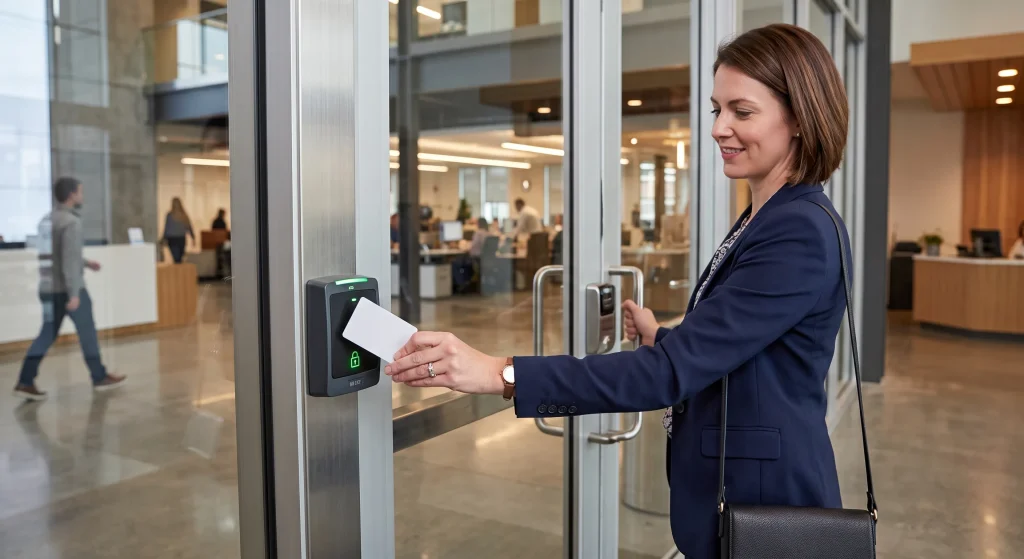
The most secure setup pairs a strong framework like mandatory or role-based access control with a reliable authentication method like biometrics.
Steps that lead to the right choice include:
- Identify the biggest security risk the property actually faces
- Compare frameworks based on how strictly they control permissions
- Match an authentication method to the sensitivity of the space
- Layer two methods together for added protection at key entry points
- Confirm the system fits daily use without slowing down staff or visitors
A trusted installer can walk through a property’s layout and recommend a setup that balances protection with everyday convenience.
Choose the Most Reliable Access Control System for Complete Security
The most secure access control system pairs a strong framework, such as mandatory or role-based access control, with a reliable authentication method like biometrics or encrypted card access. Layering these elements together creates protection that holds up long after installation rather than fading within the first year.
Guardian Door & Gate brings hands-on experience installing and upgrading access control systems for properties across St. Louis, MO. Contact us or give us a call today, and let our team assess which access control system offers the strongest protection for your property.
Frequently Asked Questions
Can a smart intercom system replace the need for a separate access control system?
No, a smart intercom system works best as an added layer rather than a full replacement for access control. Pairing intercom access control with credential-based entry gives properties both visual confirmation and a verified record of who requested access.
What makes mandatory access control different from role-based access control in practice?
Mandatory access control gives one administrator full authority over permissions, while role-based access control ties permissions to job title instead. Businesses that need flexibility usually prefer role-based systems, while facilities handling classified information often require the stricter mandatory approach.
Is discretionary access control ever a good fit for commercial security systems?
Discretionary access control can work for smaller commercial security systems with lower risk levels, though it offers less oversight than other frameworks. Larger properties or those with sensitive areas typically need a stricter framework with more centralized control.
Do access control intercom systems help identify visitors before granting entry?
Yes, an access control intercom lets staff see and speak with a visitor before unlocking a door remotely. This added verification step reduces the chances of unauthorized access compared to credential-only systems.
How does a keyless entry system reduce the risks tied to lost or copied keys?
A keyless entry system removes the vulnerability of physical keys that can get copied without anyone knowing. Credentials can also be deactivated instantly if lost, unlike a traditional key that stays usable until the locks change.
What role does a video intercom system play in verifying identity at an entry point?
A video intercom system, often part of a larger commercial intercom system, allows staff to visually confirm a visitor's identity before granting access. This becomes especially useful at entry points with higher foot traffic or frequent deliveries.
Can attribute-based access control restrict entry during specific hours only?
Yes, attribute-based access control can automatically limit entry to certain hours using time-based rules built into the system. This prevents credentials from working outside approved windows, which reduces risk during off hours.
Is a card access system still considered secure for commercial buildings today?
Yes, a card access system remains secure for commercial buildings when it uses encrypted smart card technology instead of older cloneable cards. Pairing it with a keypad or biometric check adds further protection against unauthorized use.
How does remote access control help manage security across multiple entry points?
Remote access control lets property managers adjust permissions and monitor entry points from any location without visiting the property in person. This becomes especially valuable for buildings with several access points that need consistent oversight.